If you’re new to sending emails—whether for a newsletter, business updates, or personal messages—understanding sender reputation is key. It’s like a “trust score” that email providers (like Gmail, Outlook, or Yahoo) give to your email address or website domain. A good score means your emails arrive in the main inbox. A bad one? They might go straight to spam or not arrive at all.
Think of it as your email “credit score.” Just like banks check your credit before lending money, email providers check your reputation before delivering your messages.
In 2026, with billions of emails sent daily and stricter rules from big providers, a strong reputation can make or break your communication. Good news: Even if you’re just starting, you can build and maintain one with simple steps!
Why Does Sender Reputation Matter?
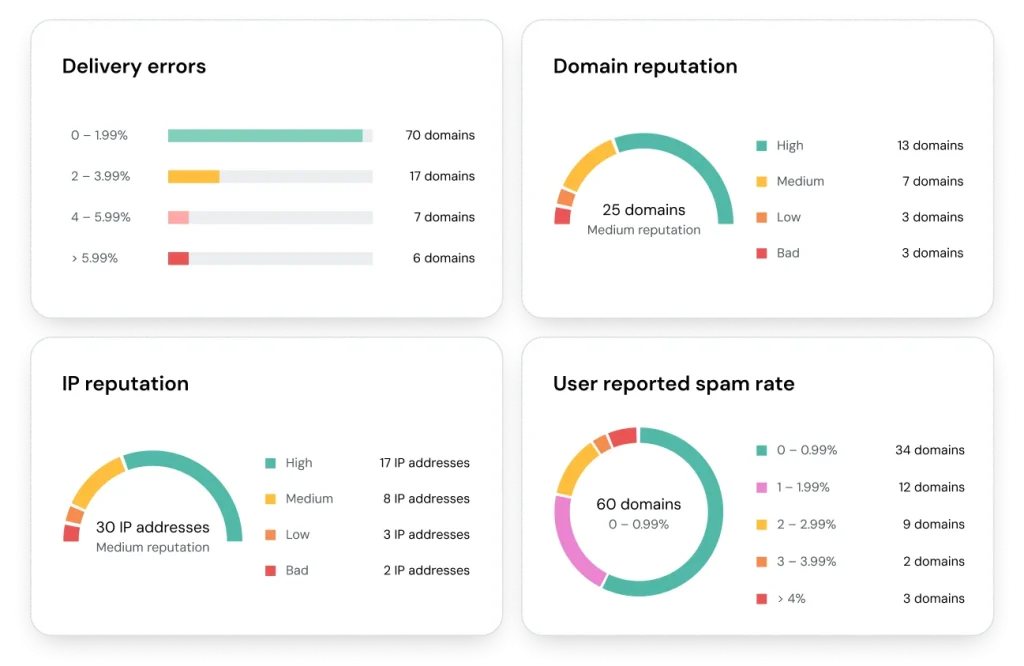
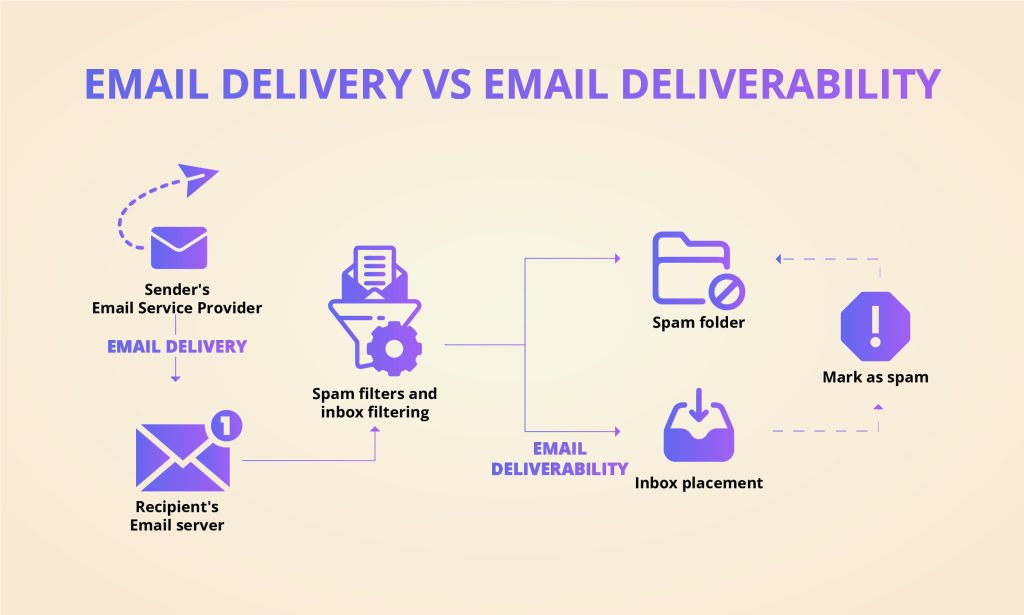
- Most emails don’t reach the inbox: Recent reports show average inbox placement is around 80-90%, meaning 10-20% end up in spam or blocked.
- Low reputation hurts engagement: If emails go to spam, people won’t see them, leading to fewer opens, clicks, and responses.
- It’s harder to fix than prevent: Recovering from a bad reputation can take weeks or months.
- New rules in 2024-2025: Google, Yahoo, and Microsoft now require proper setup for bulk senders (over 5,000 emails/day), with stricter enforcement causing rejections for non-compliant emails.
A high reputation ensures your important messages—like order confirmations or newsletters—reach people reliably.
What Is a Sender Reputation Score?
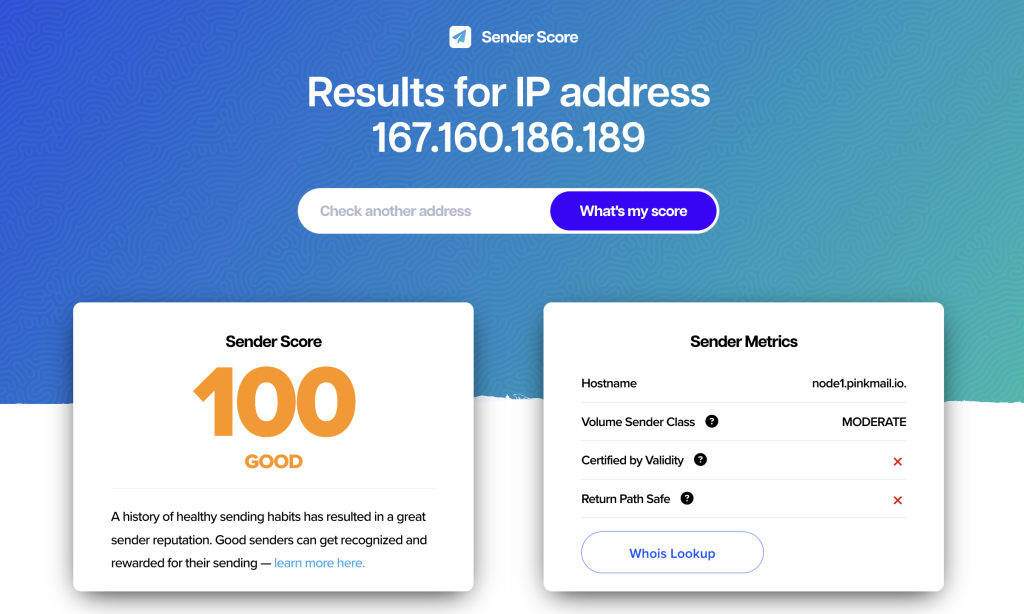
It’s a number (usually 0-100) based on your sending habits. Providers like Validity’s Sender Score rate your IP address (the “address” your emails come from).
- 90-100: Excellent – Emails almost always land in the inbox.
- 80-89: Good – Mostly inbox, minor issues possible.
- 70-79: Fair – Some spam folder risk.
- Below 70: Poor – High chance of blocks or spam.
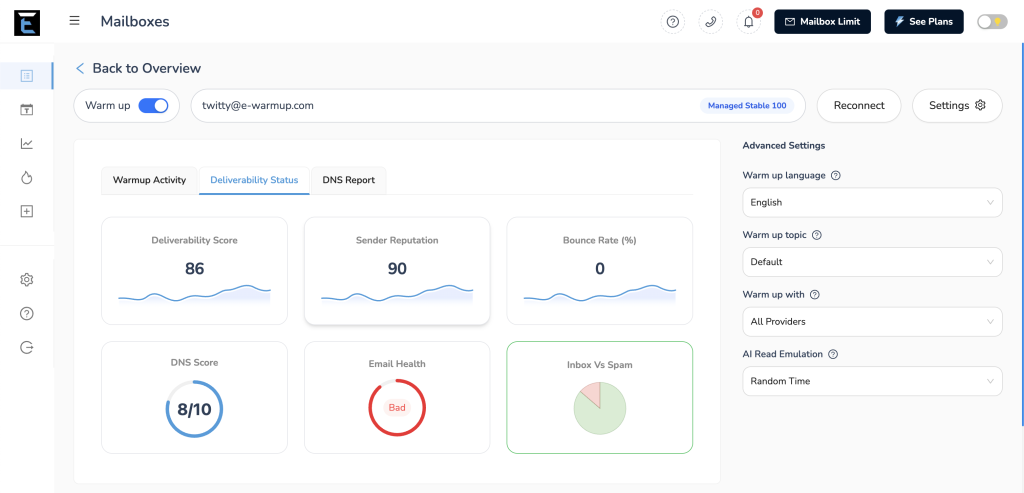
If you wish you check your Sender Reputation Score in 2026, hop onto E-Warmup.
What Affects Your Sender Reputation? (Simple Breakdown)
Email providers look at these main signals:
| Factor | What It Means (in Simple Terms) | Why It Matters | Good Benchmark (2026) |
|---|---|---|---|
| Spam Complaints | How often people mark your email as “spam” or “junk”. | Very bad signal – means emails are unwanted. | Below 0.1% (1 complaint per 1,000 emails) |
| Bounce Rates | Emails that “bounce back” because the address is invalid or full. | Shows poor list quality. | Under 2% |
| Engagement | Opens, clicks, replies – positive actions from recipients. | Shows people like your emails. | Higher is better (aim for 20-30% opens) |
| Spam Traps | Hidden fake addresses set by providers to catch bad senders. | Hitting these is a big red flag. | Zero hits |
| Sending Patterns | Sudden big sends vs. steady, predictable volume. | Spikes look suspicious. | Consistent volume |
| Authentication | Proof that emails really come from you (SPF, DKIM, DMARC). | Prevents fakes; now mandatory for many. | Fully set up |
| Blacklists | If your IP/domain is on “bad sender” lists. | Can block emails entirely. | Not listed |
The biggest dangers? High complaints and poor authentication.
How to Check Your Sender Reputation (Easy Tools for Beginners)
Don’t guess—check regularly! Here are free, simple tools:
- Sender Score (senderscore.org) – Free 0-100 score for your IP.
- Google Postmaster Tools (postmaster.google.com) – For Gmail delivery insights (great if many recipients use Gmail).
- Microsoft SNDS – For Outlook/Hotmail data.
- Talos Intelligence (talosintelligence.com) – Quick IP/domain lookup.
- MX Toolbox – Checks blacklists and basic setup.
Start with Sender Score—enter your sending IP and see your grade!
Step-by-Step Strategies to Build and Improve Your Reputation
Follow these beginner-friendly tips:
- Build a Clean Email List
Only send to people who signed up (double opt-in is best). Remove inactive subscribers every 6 months. Never buy lists! - Set Up Email Authentication
This is crucial in 2026. Add SPF, DKIM, and DMARC records to your domain (your web host or email tool can help). It’s like adding ID to your emails. - Warm Up New Emails or Domains
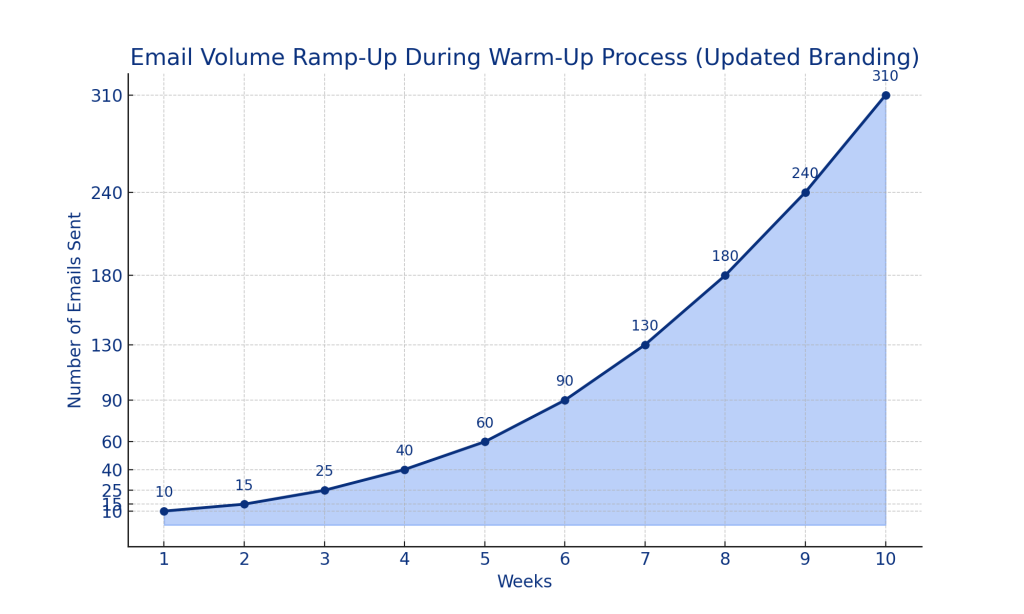
Start slow: Send 50-100 emails/day to engaged people, then slowly increase over 4-8 weeks. This builds trust. - Send Consistently
Avoid big sudden blasts. Stick to a regular schedule. - Make Emails Valuable
Personalize, use clear subject lines, and send relevant content. This boosts opens and reduces complaints. - Make Unsubscribing Easy
Include a clear “unsubscribe” link. Google/Yahoo require one-click unsubscribes. - Monitor and Fix Issues Fast
Check tools weekly. If blacklisted, follow delisting steps. - Separate Email Types
Use subdomains (e.g., news.yourcompany.com for newsletters) to protect your main reputation.
Common Mistakes Beginners Make (And How to Avoid Them)
- Sending too much too soon → Warm up gradually.
- Ignoring complaints → Act fast to remove complainers.
- Poor setup → Double-check authentication.
- Old lists → Clean regularly.
Final Tips for Success in 2026
Sender reputation is about trust and consistency. Start small, focus on real people who want your emails, and monitor progress.
Even beginners can achieve 90+ scores with these habits. Check your reputation today—it only takes minutes—and watch your emails reach more inboxes!
Questions? Start with free tools and build from there. Happy sending!
Tips: Start Improving your Sender Reputation with E-Warmup – For Free!

