The first time I launched a cold campaign on a fresh domain, I thought I had everything right. Authentication was set up. The copy was clean. The list was verified. I hit send on about 150 emails and waited.
Open rate came back at 4%. Not 40. Four.
I checked the spam folders manually on a few test accounts and there they were, every single one, sitting in spam like I was some kind of phishing operation. The domain had no history. Gmail didn’t know me. Outlook didn’t know me. And when inbox providers don’t know you, they don’t trust you by default.
That’s the lesson I learned the hard way. Sending from a fresh account without warming it up first is essentially starting a conversation by yelling into a room full of strangers. Even if what you’re saying is completely legitimate, nobody’s ready to listen yet.
Email warmup fixes that. And in 2026, with spam filters that weight engagement signals more aggressively than ever, doing it correctly matters more than it used to.
What Is Email Warmup?
Email warmup is the process of gradually building a positive sending history for a new or inactive email account, so inbox providers like Gmail and Outlook learn to trust it before any real campaign goes out.
You start with a small number of emails per day, increase volume slowly over several weeks, and ensure those emails are being opened, replied to, and engaged with. Over time, inbox providers register the domain as a trustworthy sender and inbox placement improves.
That’s the mechanism. Here’s the actual step-by-step process.
How to Warm Up an Email Account: Step-by-Step
Step 1: Set Up Domain Authentication First
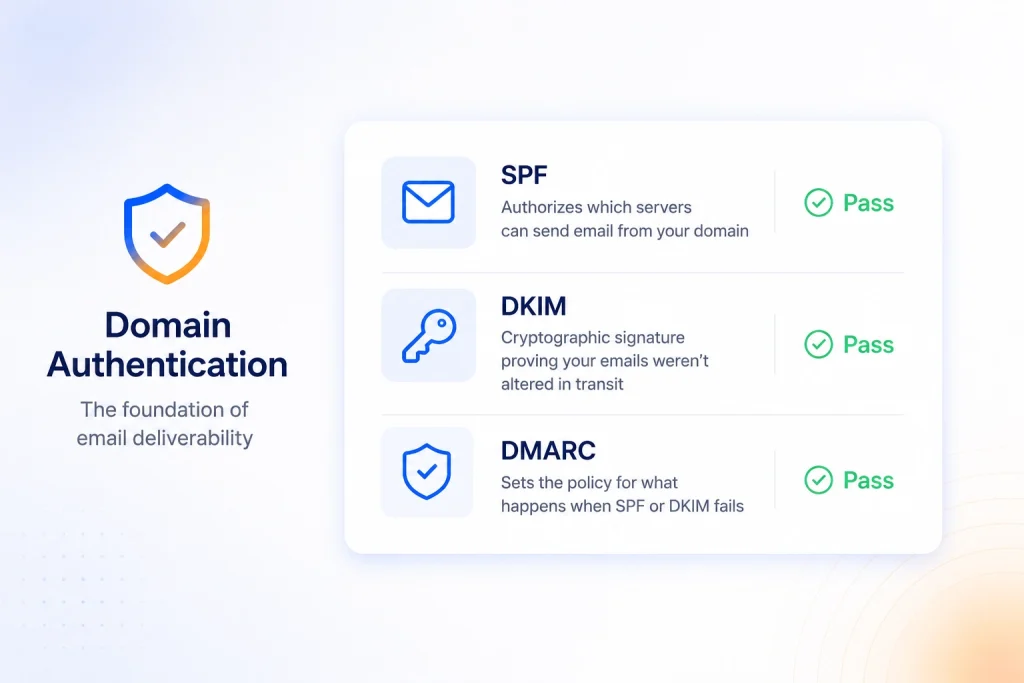
Before anything else, you need three DNS records configured correctly:
- SPF (Sender Policy Framework): authorizes which servers can send email from your domain
- DKIM (DomainKeys Identified Mail): a cryptographic signature proving your emails weren’t altered in transit
- DMARC: sets the policy for what happens when SPF or DKIM fails
Without all three passing, the warm-up doesn’t matter. Emails fail authentication checks before inbox providers even evaluate your sending behavior.
The impact is significant. According to The Digital Bloom’s B2B Email Deliverability Report 2025, fully authenticated senders are 2.7 times more likely to reach the inbox than unauthenticated senders. Google and Yahoo mandated SPF, DKIM, and DMARC for bulk senders in February 2024. Microsoft followed in May 2025. Per Google’s Email Sender Guidelines, senders hitting 5,000 or more emails per day face message rejections without all three records in place.
Use E-Warmup’s free SPF Record Generator and DMARC Record Generator to get both records built and verified before moving forward.
Step 2: Know the Gap You’re Starting From
New domains average around 55% inbox placement, compared to 85% for mature domains. That’s a 30-percentage-point penalty just for being new, before any content or reputation factors come into play. This figure comes from The Digital Bloom’s 2025 B2B report, which measured domain age impact directly across thousands of senders.
Validity’s 2025 Email Deliverability Benchmark puts the global average inbox placement rate at 83.5%, meaning roughly one in six legitimate emails never reaches the inbox. For cold outreach domains without warmup history, the gap is steeper than the average.
Warmup closes this gap. A properly warmed domain with clean authentication and consistent engagement signals can realistically reach 85% to 95% inbox placement within four to six weeks.
If you want a full breakdown of why this gap exists and how inbox providers actually score sender trust, the complete guide to email warmup covers the mechanics in depth.
Step 3: Start With Low Daily Volume
A brand-new account sending at scale is an immediate red flag for inbox providers. Safe starting volume is 5 to 20 emails per day. The goal is a pattern that looks like a real person sending real correspondence, not a bulk sender.
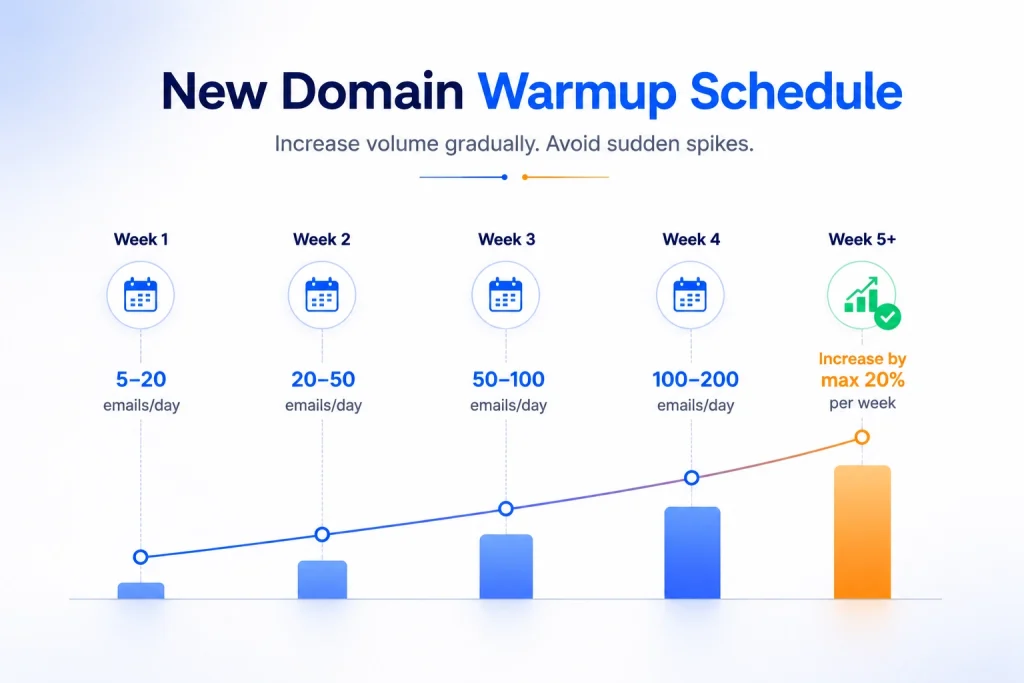
Recommended warmup volume ramp for a new domain:
| Week | Daily Send Volume |
| Week 1 | 5 to 20 emails |
| Week 2 | 20 to 50 emails |
| Week 3 | 50 to 100 emails |
| Week 4 | 100 to 200 emails |
| Week 5+ | Increase by max 20% per week |
Do not spike volume between weeks. Sudden jumps create exactly the behavior pattern that triggers spam filters. Google’s sender documentation explicitly states that increasing volume too quickly causes delivery issues, and that consistent volume is especially critical for new domains building a reputation.
Step 4: Generate Real Engagement Signals
Volume ramp means nothing if the emails aren’t being engaged with. Inbox providers track what happens to your emails after delivery. If warmup emails sit unopened or get marked as spam, sender reputation doesn’t improve. It gets worse.
During warmup, your emails need to be:
- Opened and read
- Replied to occasionally
- Not marked as spam
- Moved to the primary inbox if they land elsewhere
This is where manual warmup breaks down fast. You’d need real people checking real inboxes and interacting with your messages every single day. Most teams don’t have that. And engagement from a small, fixed group of the same contacts is more detectable by modern spam filters than most senders expect.
E-Warmup uses a network of 5,000+ real inboxes to simulate genuine engagement automatically. Not bots. Not fixed IP seed lists. Real mailboxes with real sending history, generating the open, reply, and inbox-move signals that inbox providers recognize as authentic. That’s what drives the 98% inbox placement rate E-Warmup clients achieve.
Step 5: Monitor Sender Reputation Continuously
Warming up without monitoring is like driving without checking your mirrors. Things go wrong mid-warmup. You won’t know until campaign performance collapses.
Check these two tools throughout the process:
- Google Postmaster Tools: shows domain reputation score, spam complaint rate, and delivery errors. Free, takes five minutes to set up.
- Microsoft SNDS: similar signals for Outlook and Microsoft 365.
E-Warmup’s dashboard tracks sender reputation in real time and monitors your domain across 100+ blacklist providers simultaneously. If your domain gets listed during warmup, you’ll know within hours instead of weeks.
One pattern I’ve seen consistently: teams that skip monitoring during warmup always diagnose problems after the fact, when the fix takes three times longer than if they’d caught the signal early.
Step 6: Keep Warmup Email Content Natural
Warmup emails shouldn’t look like marketing copy. They should read like real correspondence between two people. Spam filters evaluate content patterns alongside sending behavior.
Practical rules for warmup content:
- Write in plain text or very light HTML
- Avoid excessive links, images, or promotional phrasing
- Vary content across warmup emails, not identical templates
- Keep subject lines conversational and natural
With E-Warmup, content is handled automatically. The AI generates varied, natural-looking warmup threads across 30+ languages, useful for domains being warmed for international outreach.
Step 7: Run an Inbox Placement Test Before Going Live
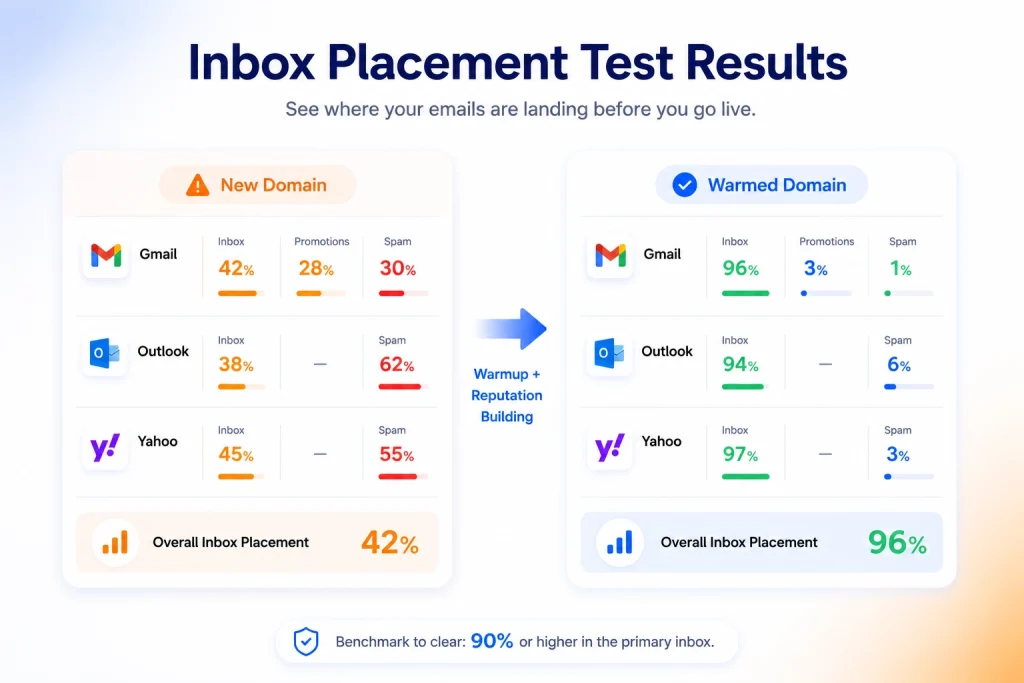
Before scaling into real campaigns, you need to know where your emails are actually landing. A clean spam score doesn’t tell you this. A strong sender reputation score doesn’t confirm it. Only an inbox placement test does.
What an inbox placement test shows: It sends your email to real seed inboxes across Gmail, Outlook, Yahoo, and other providers, then reports what percentage landed in the primary inbox, promotions tab, or spam folder.
The benchmark to clear before cold outreach: 90% or higher in the primary inbox. Below that, warmup isn’t finished.
E-Warmup includes inbox placement testing as part of the platform. You get a provider-by-provider breakdown before any campaign goes out.
Step 8: Keep Warmup Running After Your First Campaign
Most senders treat warmup as a one-time setup task. That’s a mistake.
Every time you take a significant break from sending, domain reputation starts to decay. Inbox providers update signals continuously. A domain that was trusted three months ago, but went quiet since, won’t be treated the same as one with consistent recent activity.
Continuous low-level warmup running in the background is the right approach. E-Warmup keeps engagement signals active between campaigns, so reputation holds when you scale volume back up.
I’ve seen teams do everything right upfront, reach 90%+ inbox placement, pause their warmup tool to cut costs, and then three weeks later wonder why open rates dropped. Reputation fades without maintenance.
How Long Does Email Warmup Take?
For a new domain with no sending history:
- 2 to 4 weeks for low-to-medium volume sends (under 200 per day)
- 4 to 6 weeks for higher-volume cold outreach
For a domain recovering from reputation damage:
- 2 to 3 weeks of re-warmup before campaigns resume
Rushing the timeline by pushing volume faster doesn’t compress the process. It triggers spam filters and extends recovery time.
Manual vs Automated Email Warmup
| Manual Warmup | Automated Warmup (E-Warmup) | |
| Daily effort | 30 to 60 min/day | None after setup |
| Inbox network | 20 to 30 contacts | 5,000+ real inboxes |
| Multiple domains | Not scalable | Yes |
| Engagement quality | Variable, detectable | Consistent, AI-driven |
| Setup time | Hours | Under 30 seconds |
Manual warmup works at very small scale with consistent effort. For one domain, maybe. For two or more, or for any meaningful outreach volume, automated warmup through a real inbox network is the only practical option.
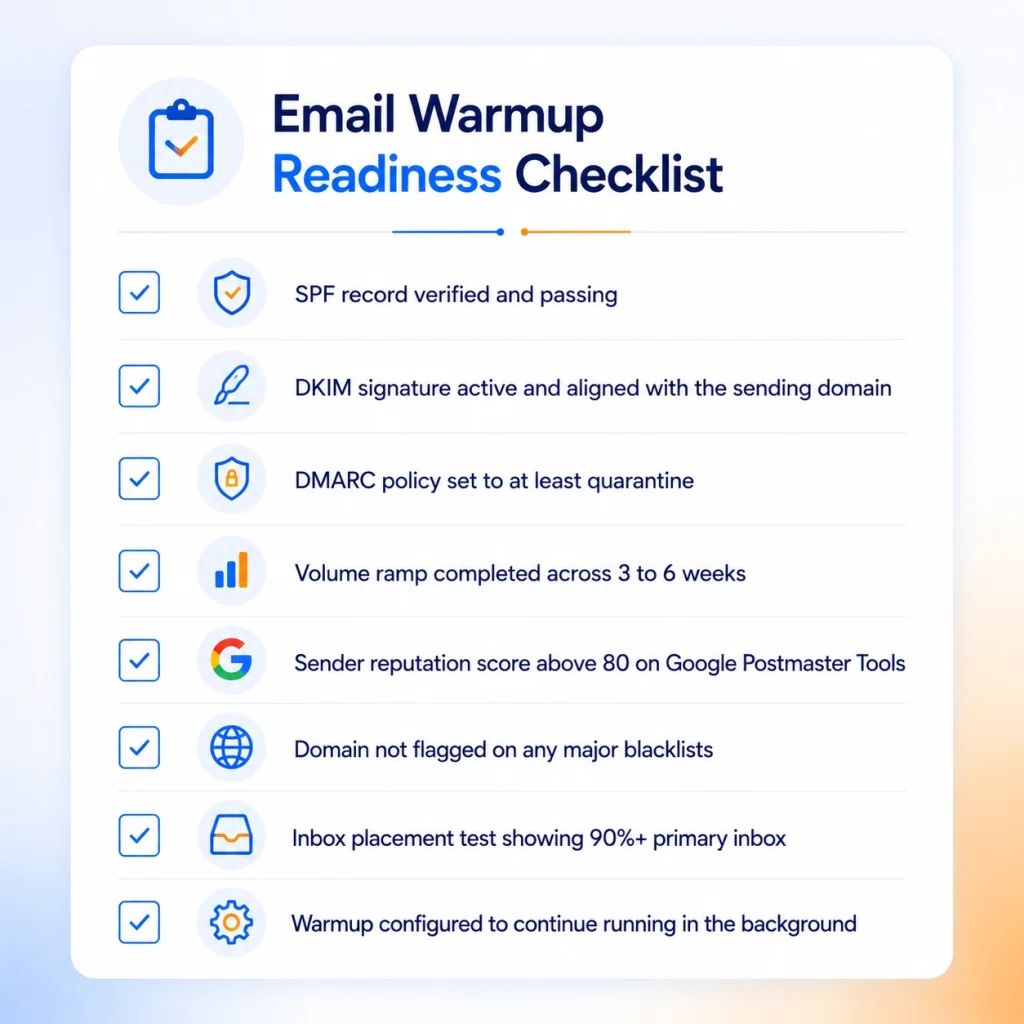
Email Warmup Readiness Checklist
Before considering an email account ready for real campaigns, confirm all of these:
- SPF record verified and passing
- DKIM signature active and aligned with the sending domain
- DMARC policy set to at least quarantine
- Volume ramp completed across 3 to 6 weeks
- Sender reputation score above 80 on Google Postmaster Tools
- Domain not flagged on any major blacklists
- Inbox placement test showing 90%+ primary inbox
- Warmup configured to continue running in the background
Frequently Asked Questions
What does email warmup mean?
Email warmup is the process of gradually increasing sending volume from a new or inactive email account while generating genuine engagement signals, so inbox providers build trust in the domain before any real campaign is sent.
How long does it take to warm up an email account?
For a brand-new domain, expect 2 to 4 weeks to reach basic inbox-ready status at low to medium volume. Higher-volume cold outreach needs 4 to 6 weeks. Rushing the timeline triggers spam filters and delays the overall process.
What happens if you skip email warmup?
New domains that skip warmup start with around 55% inbox placement, compared to 85% for established domains. Campaigns sent from unwarmed domains land in spam at a significantly higher rate, and recovery takes 2 to 4 weeks minimum.
How do I know when my email account is fully warmed up?
Run an inbox placement test. If 90% or more of test emails land in the primary inbox across Gmail, Outlook, and Yahoo, the domain is ready. Sender reputation score on Google Postmaster Tools should also be at or above 80.
Is automated email warmup better than manual?
For anyone managing more than one domain or sending meaningful outreach volume, yes. Automated warmup is more consistent, requires no daily effort, and uses a larger inbox network that generates more credible engagement signals than a small fixed contact group.
Does email warmup work for domains with damaged reputation?
Yes. Re-warmup works for damaged domains. Pause outreach, run lower-volume warmup for 2 to 3 weeks, and rebuild engagement signals. The timeline depends on how severe the reputation damage was and what caused it.
What is a good inbox placement rate after warmup?
A properly warmed domain with clean authentication should achieve 85% to 95% inbox placement. Anything below 90% before launching cold outreach is a signal that warmup is not yet complete.
Wrapping Up
If you’re working with a new domain that isn’t reaching inboxes, or an account that’s been sliding into spam, E-Warmup gives you a direct path to fix it. Start warming your domain automatically using 5,000+ real inboxes, monitor sender reputation in real time, and run inbox placement tests before every campaign. Setup takes under 30 seconds. No credit card required.