

You set up your AI email warmup tool. Every morning, at the same rough interval, your seed emails get marked as read. Not opened. Not looked at.
Just flagged, the same way you’d bulk-select a hundred newsletters and clear them without reading a single one.
That’s the part most warmup tools never tell you. “Marked as read” and “actually read” are not the same signal, and inbox providers know the difference.
A real person doesn’t open Gmail, see an unread email, and silently flip a status bit. They click into it. The email renders. Their eyes are on it, even if just for a few seconds.
That’s a fundamentally different action than an API call that flips is_read from false to true without the message ever being opened. It’s exactly the gap AI Read Emulation was built to close.
This is where the AI role in enhancing email deliverability actually shows up in practice, not as a buzzword, but as a shift in how warmup tools simulate engagement. Whether you call it inbox warm-up, warmup inbox, or just email warmup, the terminology varies.
The mechanics underneath are what actually decide whether it works, and that difference matters more every year as filtering improves. Here’s what’s changed, and what to look for if you’re evaluating a tool that claims to run genuine AI email warmup rather than a scripted seed list with an AI label on it.
How Traditional Email Warmup Works
Traditional email warmup runs on a simple mechanism. You connect your sending domain to a seed list, a pool of other email accounts within the same warmup network.
The warmup tool sends emails from your domain to those seed accounts on a schedule. The seed accounts get flagged as having read the email, sometimes reply, and the cycle repeats daily with gradually increasing volume.
This builds sending history. Inbox providers see consistent sending, positive engagement, and low complaint rates, and over time, that builds domain trust.
This is the core loop behind almost every inbox warm-up product on the market, regardless of what they call it in their marketing. It’s the baseline that AI email warmup is meant to improve on.
But here’s the mechanical detail that gets glossed over. On most platforms, “mark as read” is a single API call or a single click on a checkbox next to the email in the inbox list.
The message itself never opens. There’s no render event, no time spent on the page, no scroll. It’s a status flag, not an interaction, and it’s the opposite of what AI Read Emulation does.
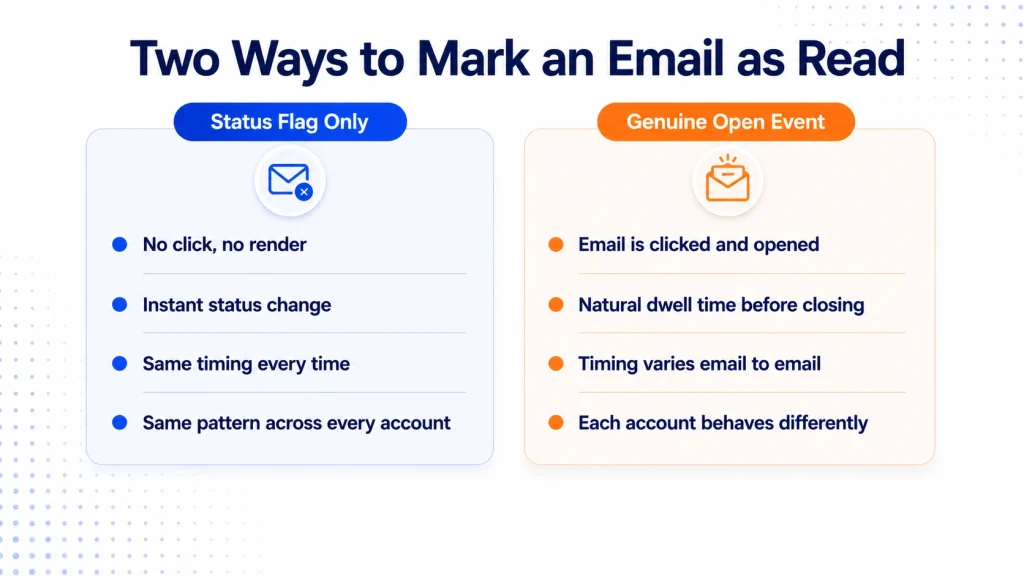
Traditional Warmup vs AI Read Emulation (signal-by-signal breakdown)
| Signal | Traditional Warmup (Mark as Read) | AI Read Emulation |
|---|---|---|
| How the email gets marked read | Bulk API call or checkbox click, message never opens | Email is clicked open from the unread list, like a real inbox click |
| Render event | None, no page/message view triggered | Message view triggered, matches how mail clients log an open |
| Time spent on message | Zero, instant status flip | Variable dwell time, mimics actual reading pace |
| Scroll behavior | None | Scroll and pause patterns modeled per message length |
| Open timing | Fixed delay, same interval every time | Randomized, some emails sit unopened for minutes or hours |
| Reply behavior | Scripted, same templates rotating | Context-aware, varies in frequency and wording |
| Consistency across accounts | Same pattern across the whole seed pool | Each account behaves differently from the others |
The mechanism works, in the sense that it does generate positive-looking signals. It has for years.
The problem is that “positive-looking” and “convincing” are not the same thing once filters start checking how the read event was actually generated. That’s exactly the problem AI Read Emulation set out to solve.
AI Role in Enhancing Email Deliverability: Where It Actually Shows Up
This is the ai role in enhancing email deliverability that most people skip past when they hear “AI email warmup.” It’s not that AI writes better subject lines or picks send times.
It’s that AI models what a real inbox interaction actually looks like, from the click to the open to the time spent, and then reproduces that variability at scale.
That’s what Read Emulation means in practice, and it’s the clearest example of the AI role in enhancing email deliverability rather than just adding automation on top of an old process. AI Read Emulation is the mechanism, and AI email warmup is the category it belongs to.
Clicking Into the Email, Not Flagging It
The core mechanical difference is this. AI Read Emulation opens the unread email the way a person would, by clicking on it from the inbox list.
The message renders. It gets a genuine open event logged by the mail client or webmail interface, the same kind of event a real recipient generates when they check their inbox and click something that catches their eye.
Flipping a “mark as read” flag skips all of that. No click, no render, no time on page.
It produces a read status without producing anything that actually looks like reading. That’s a distinction inbox providers are increasingly equipped to notice, since engagement tracking already differentiates between an opened message and a status change.
Varied Open Timing
A real person doesn’t open every email the moment it lands. Some sit for minutes. Some sit for hours.
AI Read Emulation introduces that same irregularity across seed accounts, instead of a fixed delay applied uniformly, and instead of instantly flagging every message the second it arrives.
Scroll Behavior and Dwell Time
Real engagement isn’t binary, open or not open. People scroll, pause, and sometimes leave a tab open in the background.
AI Read Emulation attempts to model dwell time so an email isn’t marked read and closed in under a second every time, and so longer emails get proportionally longer time on page than a two-line message.
Occasional Replies, Not Scripted Ones
Some real emails get replies. Most don’t.
AI Read Emulation varies reply frequency and, where replies happen, generates context-aware responses rather than the same three templated lines rotating across every seed account.
The goal isn’t to fool a human reading the email. It’s to avoid the kind of machine-detectable uniformity, and the complete absence of a genuine open event, that spam filters are specifically trained to flag. This is the whole point of running AI email warmup instead of a static seed list.
The Engagement Feedback Loop Nobody Explains Properly
Here’s a concept that gets skipped in most warmup guides, but it’s the actual mechanism behind why AI Read Emulation works. Deliverability doesn’t move in a straight line.
It moves in a loop. Strong inbox placement leads to more genuine engagement. More genuine engagement reinforces inbox placement.
That reinforcement sustains further engagement. It’s a virtuous cycle, and it runs in reverse just as easily.
A small drop in engagement quality nudges placement slightly worse. Slightly worse placement means fewer real opens, and fewer real opens drag placement down further.
Within a few weeks, a domain can slide from a strong placement rate down into the 60% range, without a single change to the actual email content. This is where the AI role in enhancing email deliverability matters most, since the loop rewards genuine-looking engagement and punishes anything that reads as scripted.
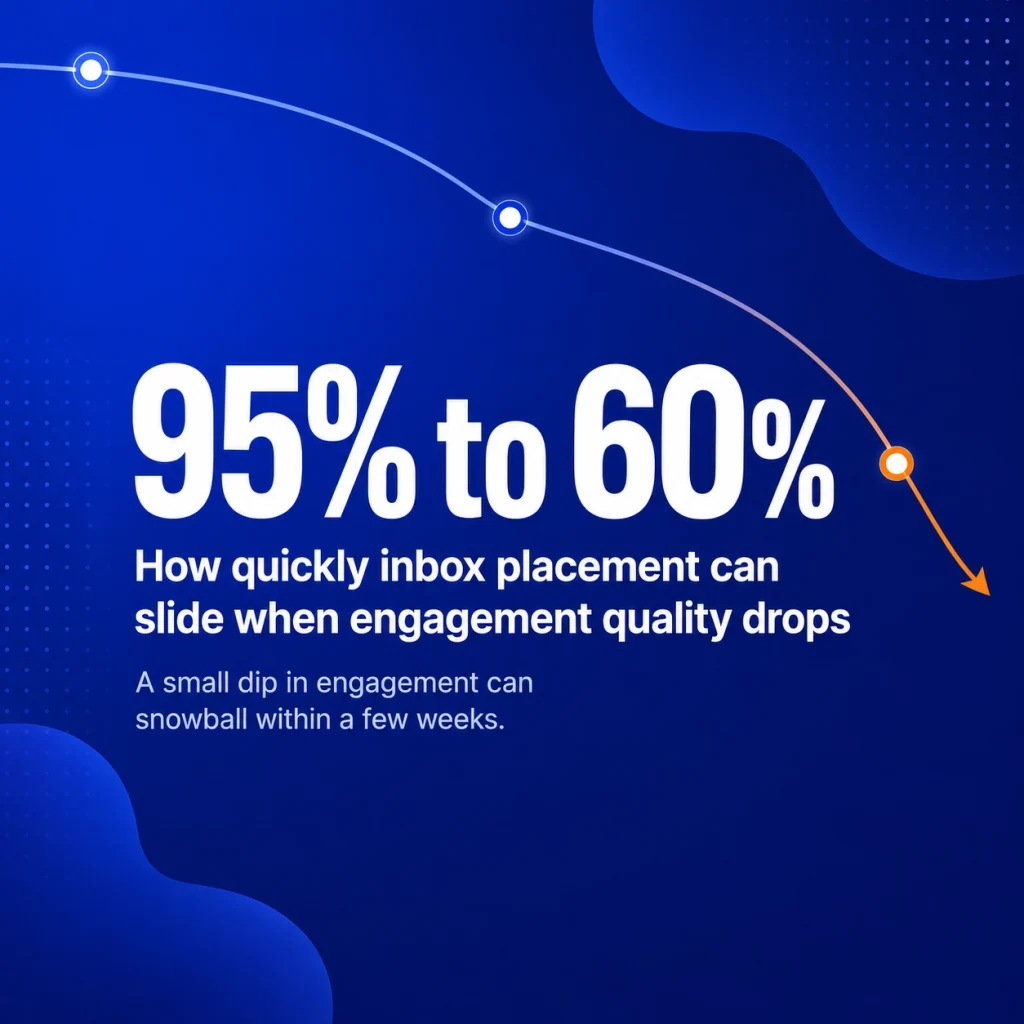
This is exactly why the quality of simulated engagement matters more than the volume of it. Ten AI email warmup sends a day with a genuine open, a real dwell time, and occasional replies do more for the loop than a hundred emails a day that all get flagged read in under a second by the same handful of accounts.
Why Filtering Differs by Provider, and Why That Changes How Warmup Should Work
Most warmup tools treat every inbox provider the same way. They shouldn’t.
Gmail, Outlook, and Yahoo each score reputation differently, and a warmup tool that doesn’t account for that is warming up a generic average, not your actual sending environment.
Gmail runs the most layered filtering of the major providers. It evaluates engagement signals, content quality, sending history, and authentication together.
It weighs recipient behavior heavily, opens, replies, stars, and whether messages get marked as important versus deleted unread or reported as spam.
Microsoft’s filtering leans more on behavioral modeling and threat intelligence patterns, looking at anomalies in sending behavior relative to a domain’s own established baseline. Enterprise-grade filters used by platforms like Proofpoint and Mimecast add another layer entirely, often applied on the recipient’s corporate mail server rather than the consumer inbox.
What all of them share is a rising reliance on relationship graph analysis. Filters increasingly ask whether a sender and recipient have a prior communication history, and whether the sending pattern matches organizational norms.
A domain that suddenly starts emailing thousands of addresses it has no relationship history with looks different to these systems than one with a gradual, traceable ramp. This is another place where AI Read Emulation earns its keep.
A pacing model that works for Gmail can look wrong to Outlook, and a genuinely adaptive AI email warmup tool adjusts for that instead of applying one schedule everywhere.
Spike Detection Is Its Own Filtering Layer
Sudden volume spikes get flagged independent of everything else. A sending pattern that goes from nothing to a thousand emails in one morning reads as suspicious regardless of content quality or authentication status.
Providers expect a gradual ramp, typically in the range of a 10 to 20 percent volume increase per week, not a step change.
This is part of why static warmup schedules eventually stop working as well as they used to. A fixed daily increase doesn’t account for how a specific provider’s spike detection is calibrated, or for how your domain’s baseline sending has shifted over the past month.
AI Read Emulation models adjust the pace and pattern per domain, rather than applying the same ramp schedule to everyone in the network.
Why This Matters More as Filtering Improves
Inbox providers didn’t always look this closely at engagement patterns. That’s changed.
Google Postmaster Tools has increasingly emphasized spam rate and engagement signals as core factors in domain reputation. Filters now weigh not just whether an email gets opened, but the pattern of how it gets opened across a sending domain’s full history.
Increasingly, they also weigh whether an open event was ever genuinely triggered at all.
That means a warmup pattern that looked convincing three years ago may not hold up today. Synthetic engagement that repeats identically, day after day, without a real open event behind it, gets flagged faster than it used to.
This isn’t hypothetical. Domains running older, mark-as-read-only warmup tools have seen inbox placement rates drop even when nothing about their actual content changed.
The warmup pattern itself became the red flag, and it’s a big part of why the shift toward AI email warmup has picked up speed industry-wide. The practical takeaway for anyone running cold outreach or bulk sending: the tool you use for inbox warm-up needs to keep adapting, because the thing it’s trying to imitate, real human behavior, isn’t static either.
What Happens When Warmup Runs Into a Problem
A lot of warm-up guides talk about the happy path. Domain ramps up, engagement builds, placement improves.
What they skip is what happens when something goes wrong mid-ramp, because something usually does.
A bounce spike hits. A batch of addresses in the sending list turns out to be dead or mistyped, and the bounce rate jumps.
Left unmanaged, this drags the sender score down fast, since bounce rate is one of the more heavily weighted reputation signals across every major provider.
The safer approach is bounce-aware sending logic that watches the bounce rate in real time, separates hard bounces from soft bounces, and automatically pulls back volume when the risk threshold is crossed. That beats continuing to push more email through a mailbox that’s already showing damage.
A domain lands on a blacklist. This is one of the more stressful moments in deliverability, because a single blacklist listing can tank inbox placement across an entire provider almost overnight, even if the rest of the domain’s reputation is healthy.
Continuous monitoring across 100+ blacklists catches this early. An automated delisting workflow that starts working the moment a listing is detected turns a multi-day manual scramble into something that resolves in the background, while volume is temporarily reduced to protect the score during recovery.
The inbox gets cluttered with warmup traffic. Running real engagement through real inboxes means those inboxes are actually receiving mail, which is the point, but it also means someone’s daily inbox view can get buried in warmup noise if it isn’t managed.
Automatic filtering and archiving of warmup emails keep the inbox clean while the underlying engagement signals still register normally on the backend.
Reputation dips, and nobody notices until placement drops. This is the scenario that does the most damage, because by the time a sender notices placement has slipped, the reputation problem has usually existed for a while.
A dashboard that tracks domain and IP reputation, sender trust score, and inbox placement rate by provider, side by side, turns that into something visible early rather than something diagnosed after the fact.
E-Warmup Value Proposition (vs “mark as read” warmup)
| What You Need | What “Mark as Read” Warmup Gives You | What E-Warmup Gives You |
|---|---|---|
| Genuine open events | No, status flag only | Yes, click-to-open AI Read Emulation across the network |
| Real inbox diversity | Often a few hundred fixed seed accounts | 5,000+ real inboxes |
| Inbox placement visibility | Rarely included | Built-in placement testing, 98% inbox placement rate |
| Bounce protection | Rarely automated | Real-time bounce monitoring with automatic volume adjustment |
| Blacklist monitoring and removal | Occasionally, limited list count, manual delisting | 100+ blacklists monitored, AI-powered auto delisting workflow |
| Inbox noise from warmup traffic | Manual sorting required | Automatic warmup filter and auto-archive |
| Authentication checks | Rarely bundled | SPF, DKIM, and DMARC monitored continuously |
| Provider coverage | Varies, often Gmail-only | Gmail, Google Workspace, Outlook, Microsoft 365, and SMTP-based setups |
| Content risk checks pre-send | Not included | Free spam checker for subject line and body content |
| Cost to start | Often trial-gated | Free forever, no credit card required |
If you’re trying to understand exactly how this compares mechanically to a standard automated warmup setup, we’ve broken it down step by step in [Automated Email Warmup vs AI Read Emulation: What’s Actually Different].
What to Look for in a Warmup Inbox Tool
If you’re evaluating email warmup software, a few things separate genuinely AI-driven tools from ones using the term loosely. For a full breakdown of how different platforms stack up on this, see our comparison of the [Best AI Tools for Avoiding Spam Filters in Cold Email Outreach].
Real inboxes, not fixed seed accounts. A network of 5,000+ real inboxes behaves differently from a closed loop of a few hundred fixed test accounts.
Scale and diversity matter for how convincing the engagement pattern looks at the provider level.
Genuine opens, not status flags. This is the detail worth asking any vendor directly, whether they’re marketed as a warm-up inbox platform or an inbox warm-up tool.
Does it click into the email and generate a real open event, or does it call an API to flip the read status without the message ever rendering? The two produce very different signals on the provider’s side, even though both result in an email that shows as “read.”
Behavior variation across accounts, not just across time. It’s not enough for one account to vary its behavior day to day.
Different accounts should behave differently from each other, the same way real people don’t all check email the same way.
Reputation recovery, not just reputation building. Things go wrong mid-warmup. Bounce spikes happen. Blacklist listings happen.
A tool that only builds reputation when everything goes right isn’t built for the reality of running outreach at any real volume. Look for one that identifies reputation gaps proactively and prioritizes recovery actions by impact, rather than leaving that diagnosis to you.
Provider-aware pacing. A tool that adjusts ramp speed and engagement style per inbox provider, rather than applying one schedule across Gmail, Outlook, and Yahoo alike, shows a real ai role in enhancing email deliverability instead of automation dressed up as intelligence.
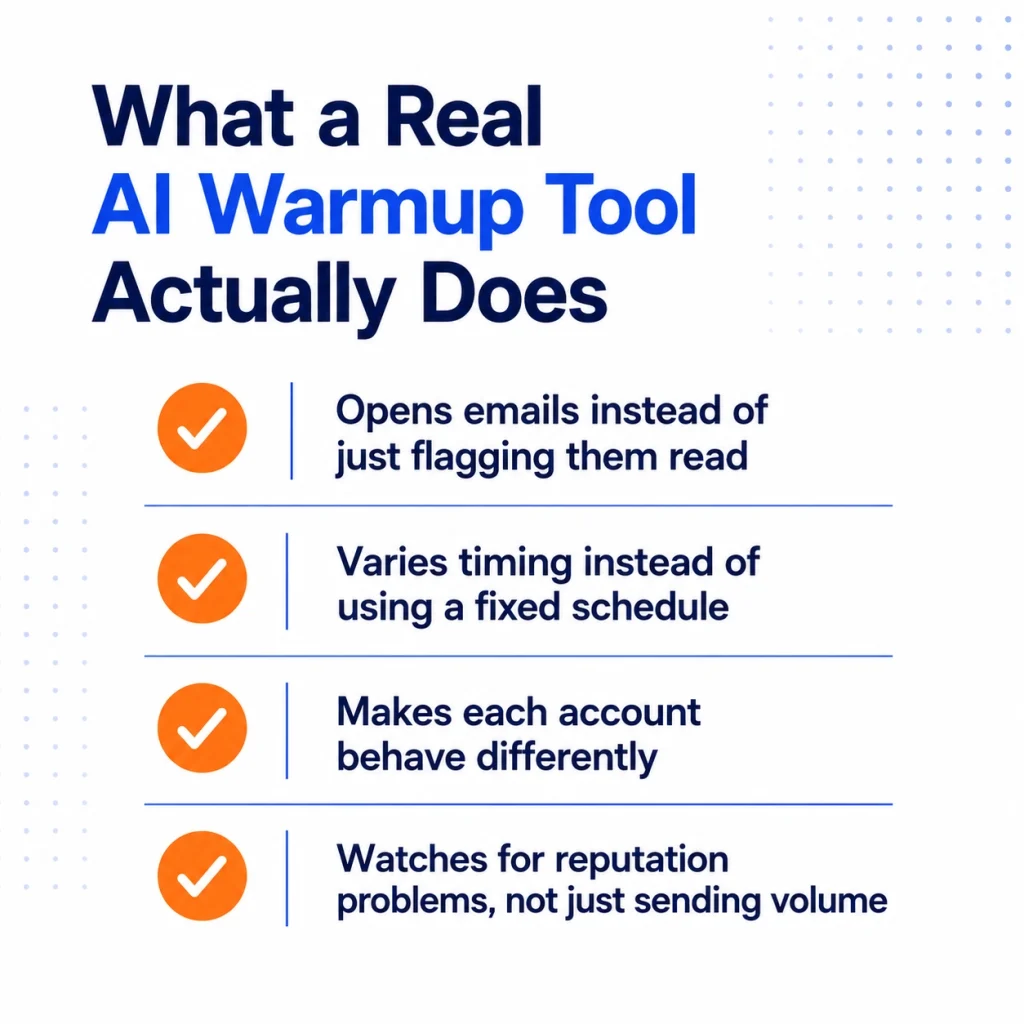
- Emails are clicked open and rendered, not just flagged read via API
- Engagement timing varies across sends, not fixed intervals
- Seed accounts show different behavior from each other
- Reputation recovery, bounce protection, and blacklist monitoring run alongside warmup, not separately
E-Warmup’s AI Read Emulation model was evaluated against seven other warmup platforms and was the only one found to generate genuine click-to-open events, varying dwell time, open delay, and reply behavior independently across its network of 5,000+ real inboxes. It maintains a 98% inbox placement rate across that same network.
What E-Warmup Onboarding Actually Looks Like
Evaluating the concept is one thing. Seeing what setup actually requires is another, and it’s usually the part that decides whether a team follows through.
Create an account. No complex configuration up front, no technical setup required to get the workspace running.
Connect the mailbox. Gmail, Google Workspace, Outlook, Microsoft 365, or a custom SMTP setup, whichever the team is already using.
Activate AI email warmup. From there, AI Read Emulation takes over the pacing decisions instead of a fixed schedule.
Volume increases follow the domain’s own baseline and the specific provider’s spike tolerance, not a one-size ramp applied to every account in the network. Bounce protection, blacklist monitoring, and SPF, DKIM, and DMARC checks all run in the background from day one.
This is the AI role in enhancing email deliverability in its most practical form. It isn’t something configured once and forgotten; it runs continuously.
Most domains see the reputation baseline start moving within the first one to two weeks, with placement stabilizing more fully over the following month, though timelines shift depending on how established the domain already was and how much volume it’s ramping toward.
Teams managing multiple client domains, agencies especially, tend to lean on the dashboard view here, since tracking reputation recovery and blacklist status across several domains at once is a different problem than watching a single inbox warm up.
AI Email Warmup FAQ
What is the AI role in enhancing email deliverability?
The AI role in enhancing email deliverability is behavioral modeling, not automation for its own sake. It replaces scripted, instant mark-as-read behavior with genuine click-to-open events, varied dwell time, natural open timing, and context-aware replies, so warmup engagement resembles how real people actually use their inboxes instead of a status flag being flipped on a schedule.
What is AI Read Emulation, exactly?
AI Read Emulation is a warmup method that clicks into and opens each seed email the way a real person would, rather than flipping a “mark as read” status without ever opening the message. It varies open timing, dwell time, and reply behavior across accounts so the resulting engagement pattern resembles genuine inbox activity rather than a scripted status change.
Is inbox warm up the same thing as warmup inbox?
Yes. Inbox warm up, warmup inbox, and email warm-up all refer to the same underlying practice, gradually building a domain or mailbox’s sending reputation through consistent, positive-looking engagement before scaling to full outreach volume. The terminology varies by who’s writing about it, but the mechanics are the same.
Is AI email warmup different from a regular seed list?
Yes. A regular seed list sends and flags emails as read on a fixed schedule with little to no variation, and often without the message ever being opened. AI email warmup uses behavioral modeling to generate genuine open events and vary timing, dwell time, and reply patterns across accounts, which more closely resembles how real people actually use email.
Can spam filters tell the difference between AI Read Emulation and a scripted seed list?
Increasingly, yes. Inbox providers weigh engagement pattern consistency, and whether a genuine open event occurred, as part of domain reputation scoring. A seed list that flags emails as read without ever opening them is easier to flag than engagement that includes real clicks, varied dwell time, and natural timing.
Does warmup work the same way across Gmail, Outlook, and Yahoo?
No. Each provider weighs reputation signals differently. Gmail leans heavily on recipient engagement behavior, while Outlook applies more behavioral anomaly modeling relative to a domain’s own baseline. An AI email warmup tool that adjusts pacing per provider is working with these differences instead of applying one generic schedule everywhere.
What happens if a domain gets blacklisted during warmup?
A blacklist listing needs active monitoring and a delisting response, warmup alone won’t remove it. Tools that monitor a wide set of blacklists and automatically initiate delisting requests when a listing is detected shorten what would otherwise be a manual, multi-day recovery process, and typically reduce sending volume temporarily to protect the score while delisting is in progress.
How long does it take for AI email warmup to show results?
Most domains see gradual improvement in sender reputation over 2 to 4 weeks, depending on starting reputation and sending volume. Warmup is a continuous process, not a one-time fix, and results compound the longer it runs.
Does AI email warmup replace the need for SPF, DKIM, and DMARC?
No. Authentication and warmup solve different problems. SPF, DKIM, and DMARC verify sender identity, while warmup builds the engagement history that tells inbox providers your domain is trustworthy. Both are necessary, neither replaces the other, which is why E-Warmup monitors all three alongside its warmup activity.
What happens if I stop using an AI warmup tool after my domain is established?
Reputation can decay if sending volume drops sharply or engagement patterns change abruptly. Most practitioners keep light ongoing AI email warmup running even on established domains, especially before scaling up a new campaign.
Setup Takes Under 30 Seconds
If your current warmup setup feels like it’s running on autopilot with no visibility into whether it’s actually working, that’s worth a second look.
E-Warmup’s AI Read Emulation model clicks into and genuinely opens each email across a network of 5,000+ real inboxes, backed by 98% inbox placement rate, built-in placement testing, bounce protection, automated blacklist monitoring, and continuous SPF, DKIM, and DMARC checks.
You get to see the effect, not just assume it. It’s one of the clearest examples of AI email warmup done right, rather than automation wearing an AI label.
