
Most cold email problems get diagnosed incorrectly.
The open rate comes back low, so the team rewrites the subject line. Tries a different opening. A/B tests the CTA. The numbers still don’t move, because none of that was the problem.
The emails were landing in spam before a single recipient ever saw them. It’s hard to catch because everything on your end looks fine. The sequences ran. The dashboard shows delivered.
What it doesn’t show is what happened on the receiving side. An inbox provider saw an unfamiliar domain with no sending history, matched it against known spam patterns, and filtered it out in milliseconds. Your email never made it to the inbox.
Cold email deliverability is the part of outreach that fails quietly and costs loudly. This post covers the infrastructure that prevents it: domain setup, authentication, email warmup, inbox placement testing, and the scaling discipline that keeps your campaigns landing where they should.
Why Cold Email Has a Deliverability Problem
Cold email is categorically different from marketing newsletters or transactional messages. With those, there’s an established relationship, an opt-in, and a history of prior engagement.
Inbox providers have seen your domain before and made a preliminary trust call. Cold outreach has none of that. The recipient hasn’t opted in. Your domain is unfamiliar. Spam filters are specifically built to catch this pattern.
Here’s what happens on the filtering side when a cold email arrives. The receiving server checks authentication first: SPF, DKIM, DMARC. Are they set up and passing? A missing or misconfigured record is an immediate negative signal.
Then it pulls your domain’s sending history. How long has this domain been actively mailing? What’s the bounce rate? Has it appeared on any blacklists? A new or unwarmed domain has no history, which gets treated much the same as a bad one.
Content gets pattern-matched against known spam signals next. Trigger words, link density, image-to-text ratio, and HTML structure. Even well-written copy can hit flags if the structural signals match spam templates that providers have already fingerprinted.
The volume-reputation mismatch is what catches most teams by surprise. A domain that’s been sending 10 emails per day for two weeks suddenly sends 500 cold emails in one afternoon. Gmail registers the spike, and the whole sequence ends up filtered.
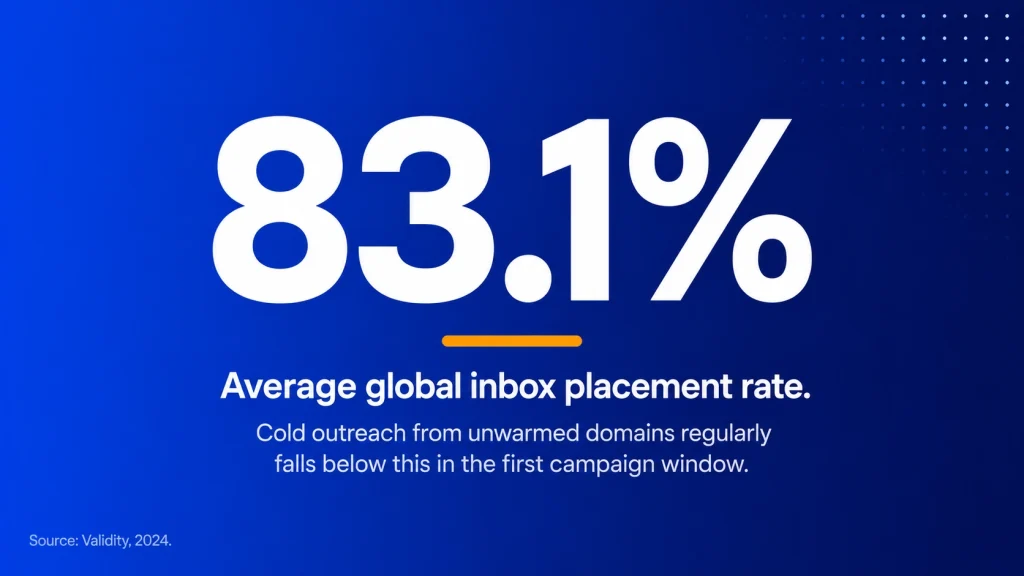
Most teams don’t find out until the campaign has already run. The good news is that cold email deliverability problems are almost entirely predictable. The infrastructure decisions made before the first send determine most of what happens after.
The Cold Email Deliverability Stack (What You Actually Need)
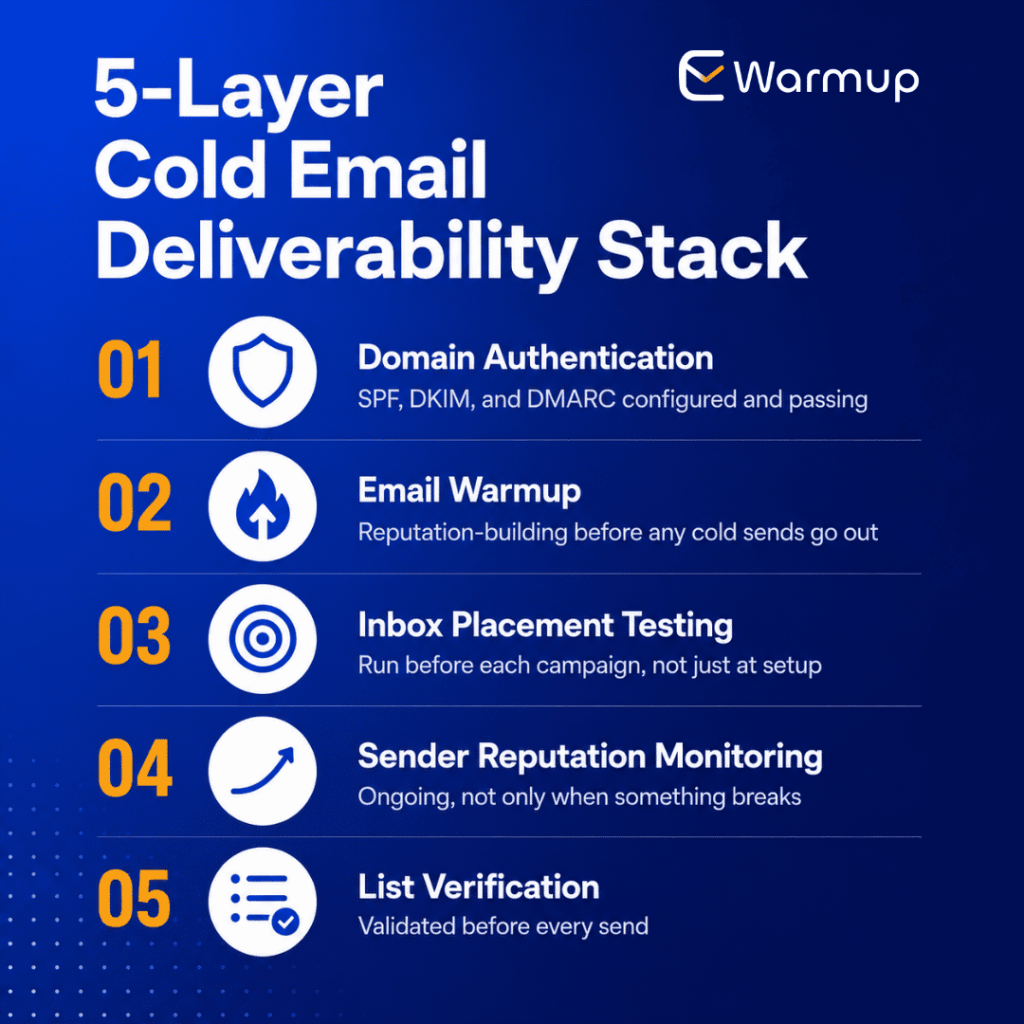
Cold email deliverability is not one problem. It’s five interdependent layers, and each one has to be working before the next layer means anything.
- Domain authentication: SPF, DKIM, and DMARC are configured and passing
- Email warmup: deliberate reputation-building before any cold sends go out
- Inbox placement testing: run before each campaign, not just at initial setup
- Sender reputation monitoring: ongoing, not only when something breaks
- List verification: validated before every send, not once and forgotten
Most teams run one or two of these. Very few run all five consistently. And that gap is usually what explains the difference between a 40% inbox placement rate and a 90%+ one.
Warmup without correct authentication means building a reputation on a broken foundation. Placement testing without a warm-up means checking a domain that’s going to fail regardless of the content.
List verification without warmup means sending clean data into a spam filter from a domain nobody trusts yet. All five layers depend on each other, and they need to be in place in the right order.
Step 1: Domain Setup for Cold Email
The first decision is structural: don’t send cold outreach from your primary domain.
Use a dedicated sending subdomain or a separate outreach domain entirely. Something like mail.yourdomain.com or outreach.yourdomain.com. When a cold campaign generates spam complaints or elevated bounce rates, you want those signals isolated.
Damage to an outreach subdomain is manageable. Reputation damage on your primary domain affects every email your company sends, including customer support, billing, and transactional messages.
Once the outreach domain is set up, authentication is next. All three records need to be correct before warmup begins.
SPF tells receiving servers which services are authorized to send from your domain. DKIM adds a cryptographic signature that verifies the message wasn’t altered in transit. DMARC sets the policy for what happens when either check fails.
As of 2024, both Google and Yahoo require DMARC to be published at a minimum p=none level for bulk senders. Cold email volume crosses that threshold faster than most teams expect.
After publishing all three records, verify them using MXToolbox or Google Admin Toolbox. A misconfigured SPF record or a broken DKIM signature means your warm-up and placement work is running on an unstable base.
Running a domain reputation check at this stage is worth doing before anything else moves forward. If the domain was previously used for anything that generated complaints or blacklist listings, you want to know before investing four to six weeks in warmup.
The domain’s history follows it. A domain that was blacklisted two years ago can still carry those signals when you pick it up. Discovering that mid-warmup is a much bigger setback than catching it at the start.
Step 2: Email Warmup for Cold Outreach
Most teams skip warmup because it’s invisible. The emails are still queued. The sequences still run. The problem shows up two weeks later when inbox placement drops sharply, and nobody can identify what changed.
Warmup is the process of building sender reputation before you need it. Gradually increasing volume over weeks while generating positive engagement signals: opens, replies, moves from spam to inbox. That pattern tells Gmail, Outlook, and Yahoo that your domain belongs in the inbox.
It has to happen before cold outreach starts, not during it.
How Long to Warm Up Before Your First Cold Send
For a brand-new domain, plan four to six weeks of warm-up before sending cold outreach at any meaningful volume. For an older domain that’s been mostly inactive, three to four weeks is the minimum.
For a domain that’s been sending regularly but at low volume, two to three weeks of structured warmup before scaling is still the right call.
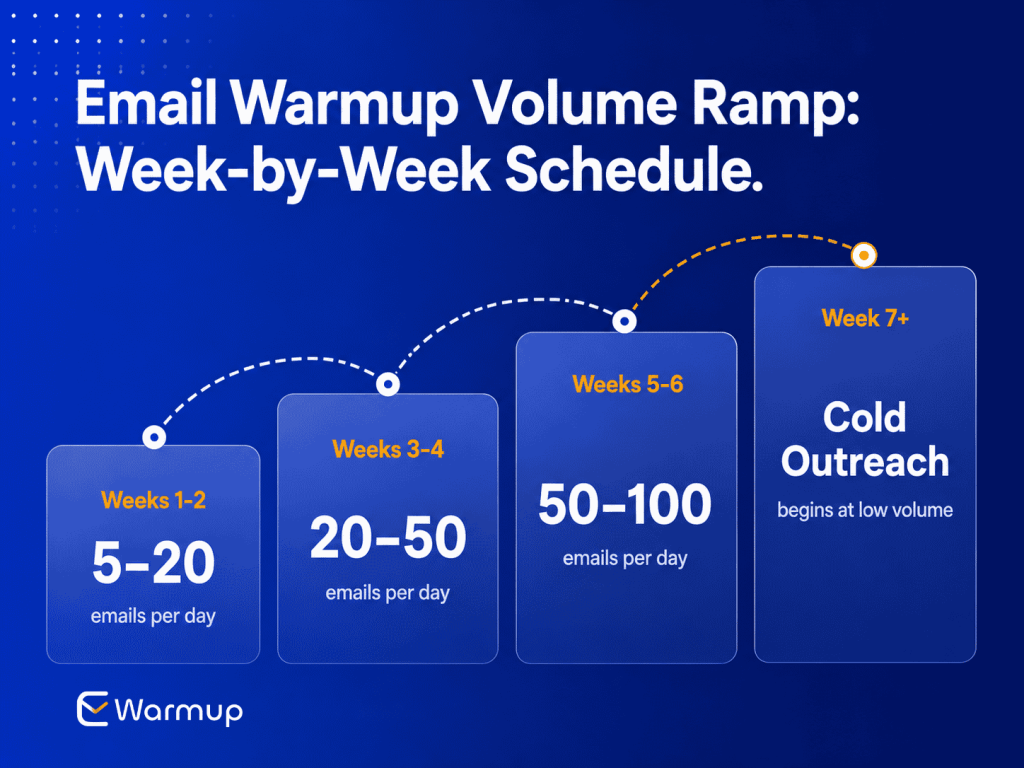
A practical volume ramp for a new outreach domain:
- Weeks 1 to 2: 5 to 20 emails per day
- Weeks 3 to 4: 20 to 50 per day
- Weeks 5 to 6: 50 to 100 per day
- Week 7 onward: begin cold sends at low volume, increasing by no more than 20% per week
This schedule isn’t arbitrary. Inbox providers treat sending volume patterns as a trust signal. A domain that sends 300 emails on its first active day looks like a spam operation, because most spam operations do exactly that.
Keep warmup running in the background even after cold outreach starts. Active campaigns gradually consume the reputation buffer that warmup builds. Keeping warm-up active at 15 to 20% of your sending volume preserves that buffer throughout the campaign lifecycle.
What an AI-Powered Email Warmup Tool Does Differently
Manual warmup, sending a handful of emails to colleagues and asking them to reply, technically works. But it doesn’t scale. And it depends entirely on the quality and diversity of the inboxes involved.
For most teams, that means a handful of Gmail accounts from coworkers. That’s not the signal breadth inbox providers are looking for when they decide whether to trust a domain.
An automated email warmup tool replaces that with a network of real inboxes that generate genuine engagement across multiple providers simultaneously.
Our network of 5,000+ real inboxes means the warmup signals your domain receives are authentic: real opens, real replies, real inbox activity across Gmail, Outlook, Yahoo, and others, not simulated traffic that providers can identify and discount.
We’ve helped warm up email infrastructure for over 85,000 businesses, sales teams, and growth teams running outbound at scale. The 98% inbox placement rate our network consistently achieves is the benchmark worth reaching before your first campaign goes out.
When you warm up your email domain properly, you arrive at launch day with a domain inbox that providers have already started to trust. Not one they’re evaluating for the first time on the first send.
Step 3: Inbox Placement Testing Before Each Campaign
Here’s a pattern that repeats constantly. Domain is warmed. First campaign performs well. Second campaign, similar setup, performs well.
Third campaign is bigger. Open rates collapse. Two weeks get spent trying to figure out what changed between campaign two and campaign three.
What usually changed: something in the combination of content, volume, or domain reputation shifted, and nobody ran a placement check before the third campaign launched.
An inbox placement test answers the question before it becomes a problem, not after.
What Inbox Placement Testing Measures
An inbox placement test sends a version of your email to seed addresses across major providers. It reports back exactly where it landed: primary inbox, promotions tab, spam, or not delivered at all.
It gives you real placement data from your specific domain with your specific content at your current reputation level. That’s the combination inbox providers actually evaluate when your campaign arrives at their servers.
This is different from a content spam score check. A spam score analyzes content in isolation. An inbox placement test accounts for domain reputation, authentication setup, and content together.
The threshold that makes a cold campaign worth launching is 90% inbox placement or higher. Below that, you’re sending into a filtering problem that will suppress your ability to increase open rate, regardless of how strong the copy is.
If the score comes back below 90%, the diagnosis matters as much as the fix. A placement problem driven by content looks different from one driven by domain reputation.
Content issues, such as spam trigger words or heavy link structure, usually show up as consistent filtering across all providers. Reputation issues tend to be provider-specific. Knowing which is which determines what to fix before the campaign goes out.
If content is the issue, revise the email, rerun the test, and only send once placement clears 90%. If reputation is the issue, extend the warmup period and check authentication records before the next placement test.
Step 4: Scaling Cold Email Safely
The point at which cold outreach breaks for most teams isn’t the launch. It’s the scale-up.
The domain is warmed. A few successful smaller campaigns have built confidence. Volume increases. And at some point, placement collapses without an obvious warning.
Usually because the signals that predicted it were there and nobody was watching them. Safe scaling means reading those signals before they compound into a repair problem.
The 20% Volume Rule
Increase sending volume by no more than 20% per week. That’s the rate inbox providers interpret as organic, legitimate growth.
A domain that doubles volume week over week looks like it’s ramping a spam operation, even when the content is clean, and the list is verified.
The 20% ceiling feels slow. But it’s the difference between scaling sustainably over six months and having your domain flagged at a fraction of that volume with months of repair work ahead.
What to Monitor During Scale-Up
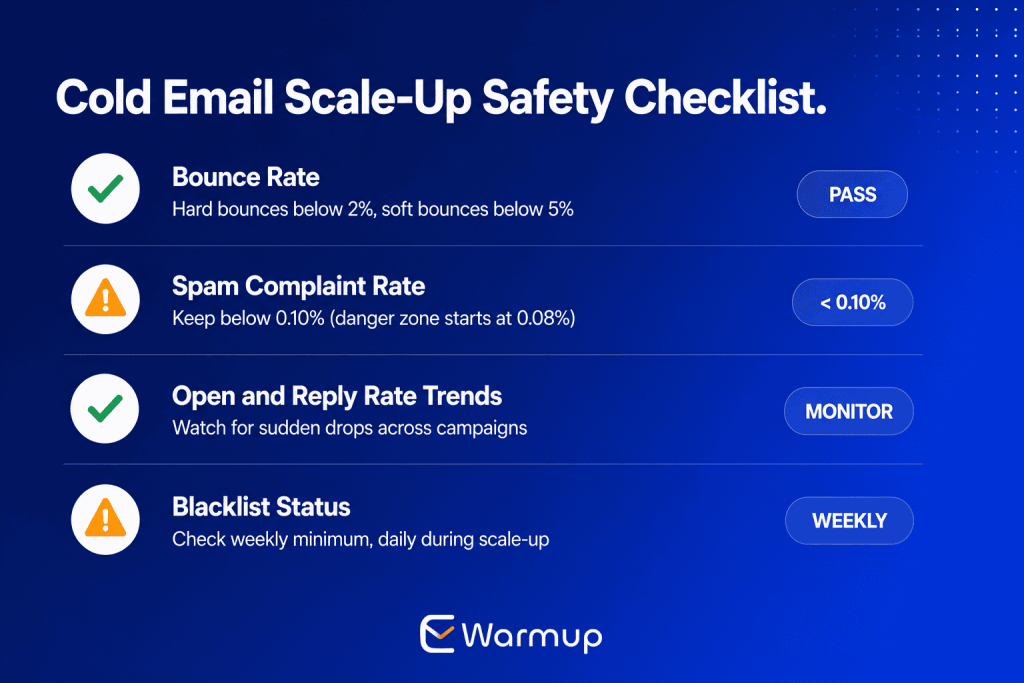
As volume increases, four metrics need consistent attention:
- Bounce rate: hard bounces below 2%, soft bounces below 5%
- Spam complaint rate: Google’s danger zone begins at 0.08%, with confirmed delivery impact above 0.10%
- Open and reply rate trends: a sudden drop across a campaign is usually a placement signal, not a copy problem
- Blacklist status: weekly at minimum, daily during active scale phases
An email deliverability tool that monitors these automatically surfaces the signal early enough to act on it. Manually checking each metric across providers creates gaps.
Gaps during scale-up phases are when the most preventable damage tends to happen, because reputation can slip significantly in a short window when sending volume is climbing.
Blacklist Monitoring During Scale-Up
Blacklisting during a scale-up phase is usually a symptom of something else: a bad batch with spam trap addresses, a complaint spike from a particular segment, or content that matched a blacklist fingerprint.
But the impact lands on the whole domain, not just the campaign that triggered it. The major lists worth monitoring continuously are Spamhaus, SURBL, and Barracuda.
A real-time blacklist monitoring tool flags a listing within hours. Without it, most teams discover the problem when open rates have already collapsed and the recovery window is smaller than it needs to be.
Step 5: Protecting Sender Reputation Long-Term
Warmup is not a one-time task. Most teams treat it that way, which is why so many end up re-warming a domain every six months after reputation decays during a campaign gap.
Suppression Lists and Bounce Management
Every cold campaign produces data worth keeping. Who bounced. Who complained. Who unsubscribed. That data needs to be captured and suppressed across all future sends, not just the campaign it came from.
Running a domain reputation check after each campaign tells you whether signals from that send created lasting effects. A single complaint from an otherwise clean send is recoverable.
A pattern of complaint rates above 0.08% across multiple campaigns is a different situation, one that requires a deliberate repair strategy rather than just a cleaner next send.
Suppression management matters because inbox providers track complaint rates at the domain level over time. A domain that consistently generates complaints becomes progressively harder to deliver from, even when individual campaigns look clean on the surface.
Re-Warm After Campaign Gaps
If cold outreach pauses for more than three to four weeks, the positive engagement pattern starts to fade. Inbox providers look for consistent sending history.
A domain that goes quiet for six weeks and ramps back to full volume reads similarly to a new domain starting from scratch, and gets treated accordingly.
The fix is a short re-warm period before resuming. Two weeks of low-volume warm-up activity after a gap is typically enough to re-establish the sending pattern before cold campaigns restart.
Long-Term Monitoring as Default Practice
The teams that avoid repeat deliverability problems treat monitoring as a default operating condition, not a response to a crisis. Sender reputation, blacklist status, authentication health, and placement scores all get checked on a schedule, not only when something breaks.
That discipline compounds. A domain that’s been monitored consistently for six months has a record of stable, positive sending behavior that gives it more resilience when volume spikes or content varies.
Treating warmup as a continuous background process rather than a one-time setup step is the operational model that makes cold email outreach sustainable. That’s what it means to improve email deliverability at the infrastructure level, not just the campaign level.
Frequently Asked Questions
Build Your Cold Email Deliverability Stack
Cold email is the highest-risk delivery category in outreach. No prior relationship. No opt-in. No engagement history. Spam filtering is aggressive, and volume compounds the risk at every stage.
The teams scaling cold outreach without consistent placement problems aren’t doing anything different in their copy or their targeting. They’re running the infrastructure consistently.
Domain authentication. Warmup before the first send, and continuously in the background. Placement testing before every campaign. Reputation monitoring during scale. Clean list hygiene every time.
E-Warmup is built specifically for this workflow. AI-powered warmup on a network of 5,000+ real inboxes, inbox placement testing before campaigns go out, real-time sender reputation monitoring, and automatic blacklist detection. Setup takes 25 seconds. No credit card required.

Related Posts
What Is Email Warmup and Why Does It Matter? A foundational guide to how email warmup works, what the warmup window looks like, and why sender reputation has to be built before campaigns go out, not during them.
Inbox Placement Testing: How to Check Where Your Email Lands Before Sending. The step-by-step process for testing placement across Gmail, Outlook, and Yahoo before a campaign send, including what to do when the score comes back below the 90% threshold.
